Verifying your email address
An important part of securing our eco-system of software provided via the NKMP is ensuring we protect you and other users from spam and users with malicious intent. As such, we require you to verify your email address before using the Koala Spotter mobile application.
Verifying your email
You should be greeted when first logging in with the following screen, encouraging you to verify your email address. Please check your email and click the link within, asking you to verify your email address.
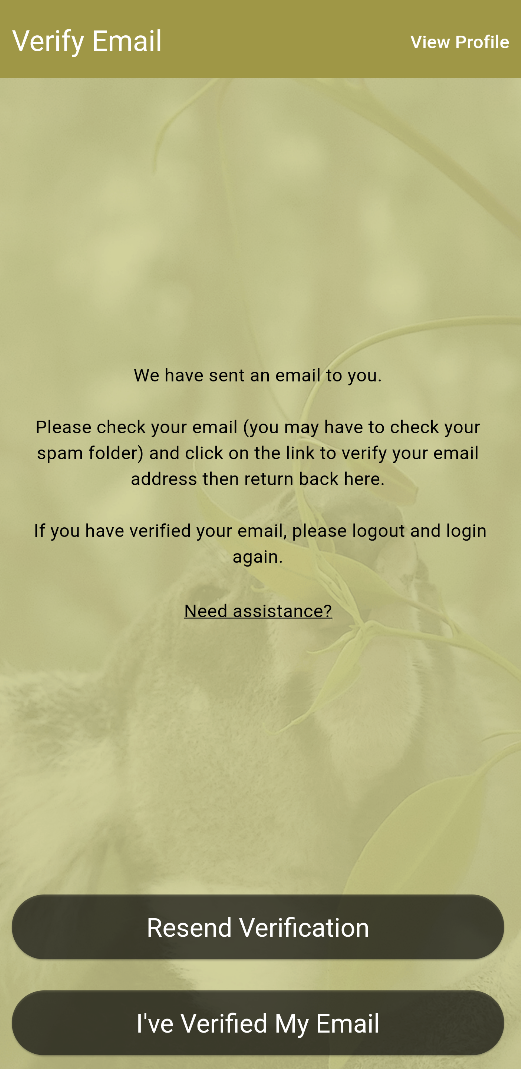
If you have verified your email and still cannot login, please tap "Resend Verification" to check in the app, once verified you should be taken into the app. If the problem still persists, please force close the mobile application. If this fails to work, please attempt to uninstall the mobile application and reinstall before attempting to login again. If you require any assitance or have any questions, please tap the "Need assitance?" button, or contact us at [email protected].
If you do not receive an email, or the link has expired, please tap the "Need assitance?" button, or contact us at [email protected] and we will be able to verify your user account manually.